Shopify Store Setup: A Step-by-Step Guide for Beginners
Web Design
7
min read
Published
(Last Edited:
)
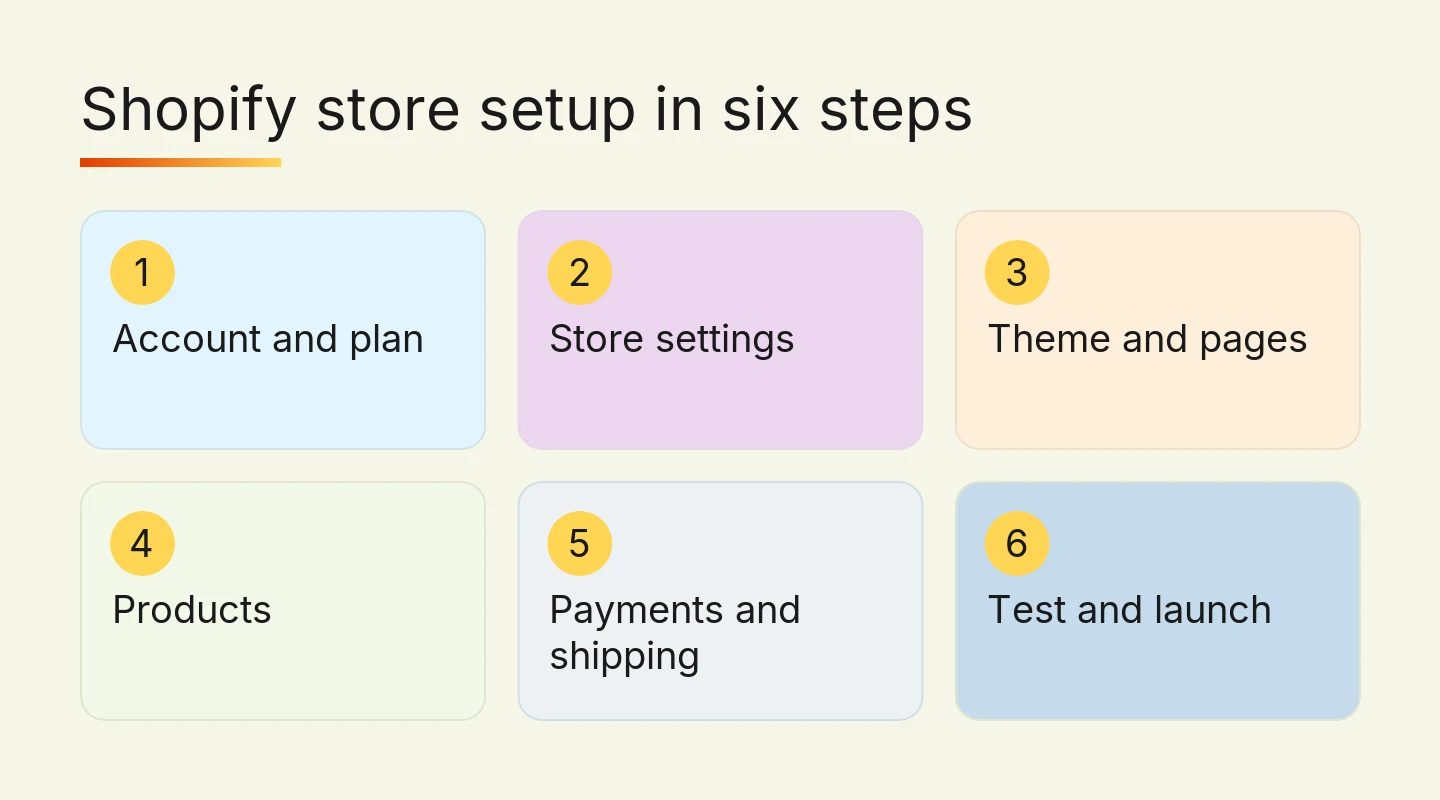
This guide is for Hong Kong business owners who want to sell online and are setting up a Shopify store for the first time. It walks through the six steps in the order that saves the most rework, and flags the settings that matter most for selling in Hong Kong.
By the end you will know what to prepare, what each step involves, what to check before launch, and when doing it yourself stops being the cheaper option. If you are still deciding whether to sell online at all, start with whether selling online makes sense for your business.
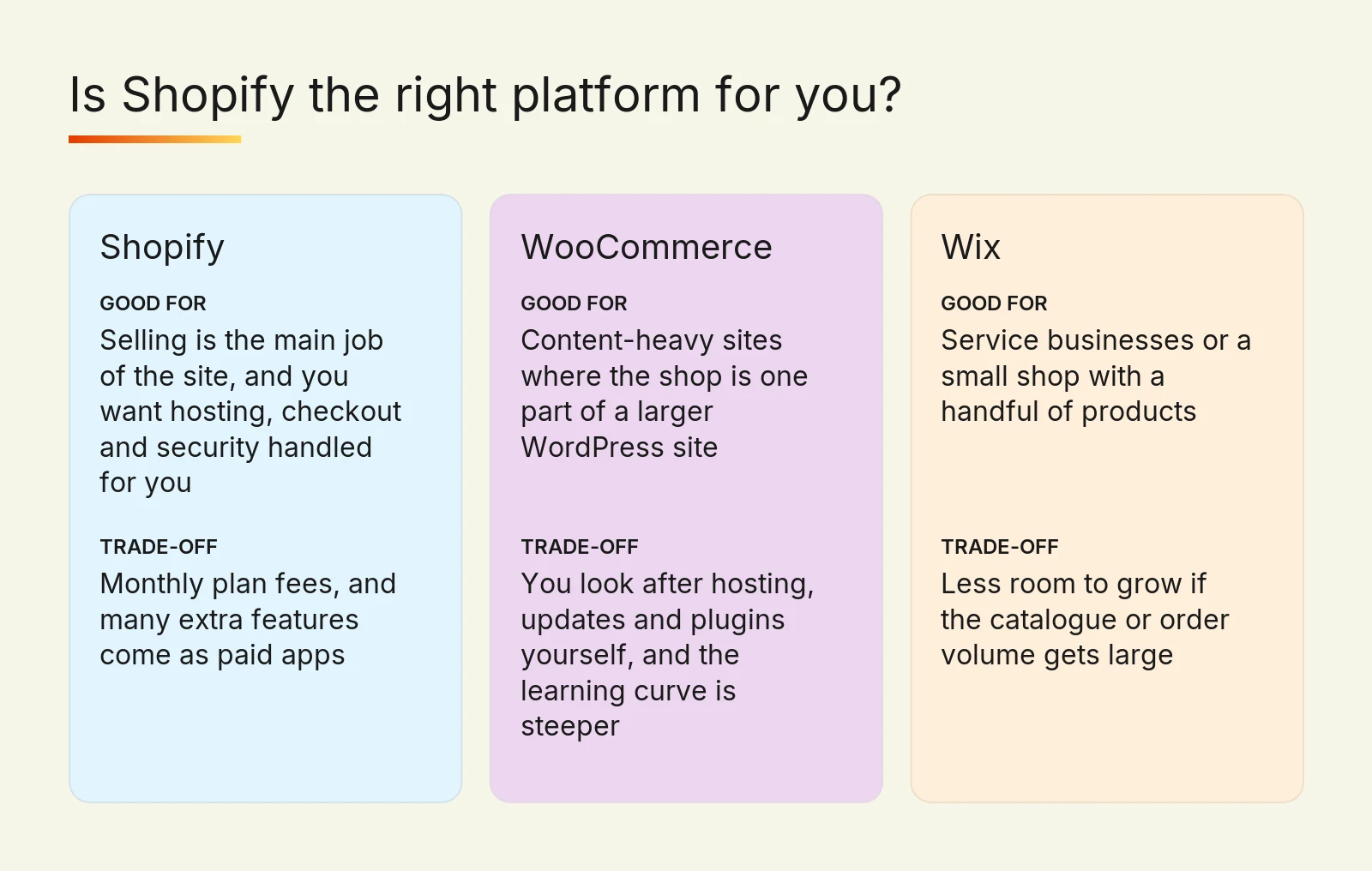
Is Shopify the right platform for you?
Shopify suits businesses where selling is the main job of the website. Hosting, security and checkout are handled for you, so you spend your time on products and customers rather than on software updates.
It is not always the best answer. If your site is mostly articles and the shop is a small part of it, WooCommerce on a WordPress site gives you more flexibility, at the cost of looking after hosting and plugins. If you sell a service or only a handful of products, Wix is often enough.
Platform | Good for | Trade-off |
Shopify | Selling is the main job of the site, and you want hosting, checkout and security handled for you | Monthly plan fees, and many extra features come as paid apps |
WooCommerce | Content-heavy sites where the shop is one part of a larger WordPress site | You look after hosting, updates and plugins yourself, and the learning curve is steeper |
Wix | Service businesses or a small shop with a handful of products | Less room to grow if the catalogue or order volume gets large |
If you are still weighing Shopify against Wix, Framer or WordPress, our comparison of beginner website tools sets out what each one suits.
If your site is mainly about presenting services rather than selling products, designing your site in Framer may suit you better.
What Shopify store setup costs
Your running costs have four parts: the Shopify plan, any paid theme, any paid apps, and payment processing fees on each sale. Check the current figures on Shopify's own pricing page before you commit, because plans and trial offers change.
Shopify charges Hong Kong stores in US dollars. These were the figures on Shopify's Hong Kong pricing page on 28 September 2026:
Plan | Billed monthly | Billed yearly | Online card rate with Shopify Payments | Extra Shopify fee with another gateway |
Basic | US$33/month | US$25/month | 3.3% + HK$2.35 | 2% |
Grow | US$92/month | US$69/month | 3.3% + HK$2.35 | 1% |
Advanced | US$399/month | US$299/month | 3.1% + HK$2.35 | 0.6% |
New stores get 3 days free, then pay US$1 a month for the first 3 months. American Express and international cards cost 0.6 percentage points more than the rates above, and the Plus plan, from US$2,300 a month, is for much larger businesses.
On top of that come the costs of your own time: product photos, product descriptions, and a logo and colours if you do not have them yet. These often take longer than the store setup itself.
If you would rather have the store built for you, our Shopify packages are published at HK$15,000, HK$40,000 and HK$60,000, sized for roughly 30, 100 and 200+ products, with timelines of 4–12 weeks.
Step 1: Create your account and choose a plan
Start the free trial on Shopify's site with an email address and a password. Shopify asks what you sell and where, then gives you a temporary address ending in .myshopify.com. The store name can be changed later, so do not let it hold you up.
Pick the plan when the trial ends, not on day one. By then you will know which features you actually use.
Step 2: Enter your store settings
Settings are dull, but they decide what appears on every invoice, email and checkout page. Fill them in before you design anything.
Store details: your business name, address and contact email, under Settings.
Currency: set Hong Kong dollars as the store currency if most customers are local. Changing it after orders come in makes reports harder to read.
Domain: buy or connect your own domain, so customers never see the
.myshopify.comaddress.Sender email: use an address on your own domain, such as orders@yourdomain.com, so order emails look trustworthy and are less likely to land in spam.
Languages: if you sell to Chinese-speaking customers, plan for Traditional Chinese now. Each language should have its own URLs and hreflang tags, so search engines show the right version to the right person.
Step 3: Choose a theme and build the key pages
A theme controls how your store looks. Start with a free theme from Shopify's theme store and only pay for a premium one if you need a feature the free ones lack.
Choose on structure rather than looks, since you can change colours and fonts in the theme editor. Check how the theme shows a product with several photos, how it handles long product names, and how it looks on a phone, where most browsing happens.
Then build the pages every store needs:
A homepage that says what you sell in one line and shows your main collections.
An about page that explains who is behind the store.
A contact page with your email, and a WhatsApp link if that is how your customers prefer to ask questions.
Shipping, refund, privacy and terms pages, linked in the footer.
Step 4: Add products and collections
Add products under Products, then Add product. For each one you need a clear title, a description that answers the questions a customer would ask in a shop, good photos, a price and a stock level.
Use variants for sizes and colours rather than separate products. A T-shirt in three sizes and two colours is one product with six variants, each with its own stock count and SKU.
Group products into collections, such as "New arrivals" or "Gifts under HK$500", so customers can browse. Automated collections fill themselves using tags, which saves work as your range grows.
Step 5: Set up payments and shipping
This is the step where Hong Kong stores most often go wrong, because the defaults assume another market.
Payments. Shopify Payments, PayDollar (from AsiaPay) and Airwallex all serve Hong Kong merchants well, and between them they cover the methods local customers expect: cards, WeChat Pay, Alipay, Octopus, PayMe and FPS. Go to Settings, then Payments, check which methods each option offers for your business, and test every one before launch.
Compare fees as well as methods. Shopify adds its own fee to every order paid through another gateway (2% on Basic, 1% on Grow, 0.6% on Advanced) on top of that gateway's rates, so choose one only if it clearly suits your customers better.
Shipping. Set up shipping zones under Settings, then Shipping and delivery. Create a Hong Kong zone first, then add each other place you deliver to. If you ship with SF Express, decide whether you charge a flat rate, a weight-based rate, or offer free shipping over a set order value.
Taxes and duties. Review the tax settings for every country you ship to, so overseas customers are not surprised by charges on delivery.
Step 6: Test and launch
Shopify keeps a new store behind a password until you remove it under Online Store, then Preferences. Before you do, place a test order from start to finish, including the confirmation email and a refund.
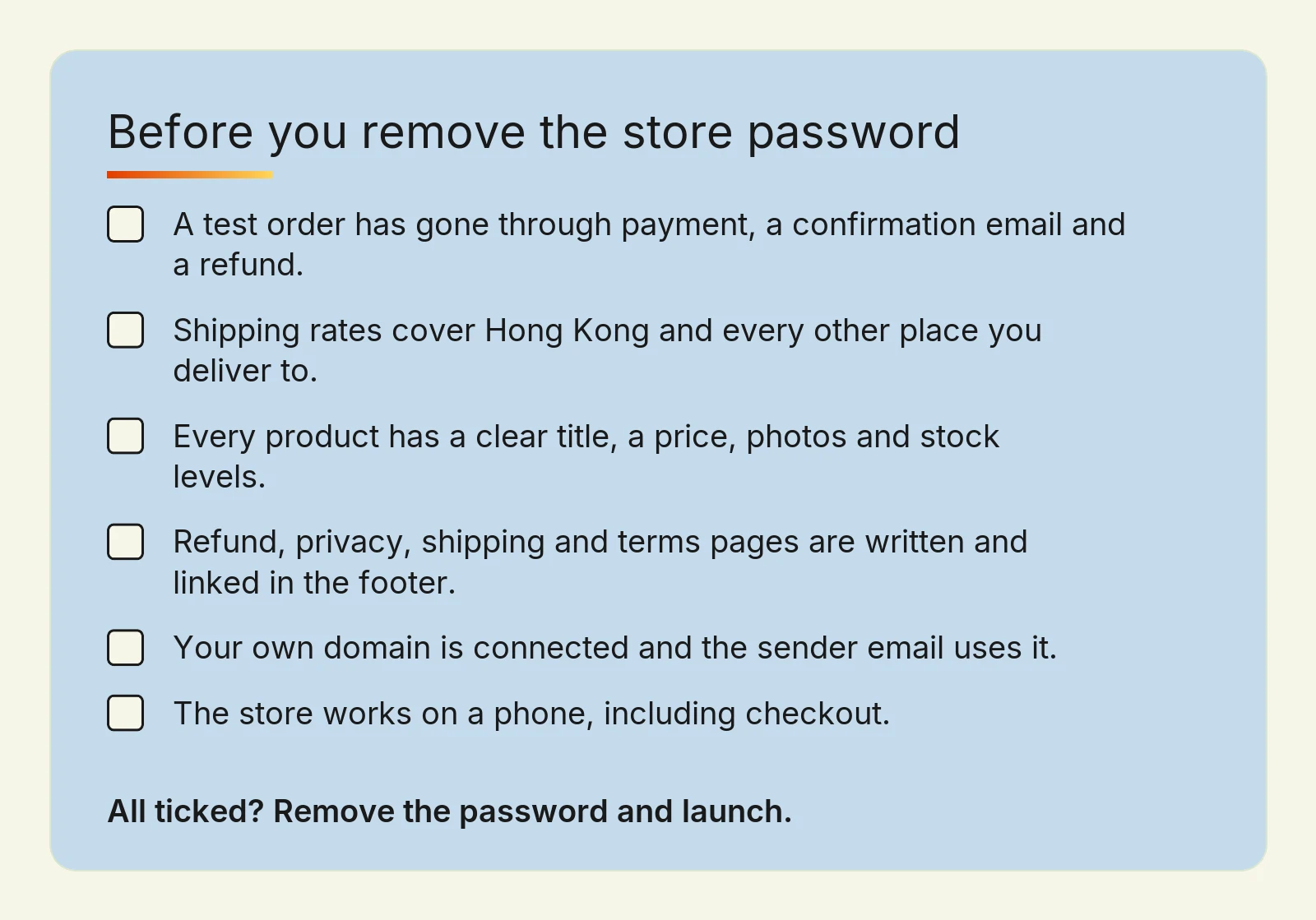
A test order has gone through payment, a confirmation email and a refund.
Shipping rates cover Hong Kong and every other place you deliver to.
Every product has a clear title, a price, photos and stock levels.
Refund, privacy, shipping and terms pages are written and linked in the footer.
Your own domain is connected and the sender email uses it.
The store works on a phone, including checkout.
After launch: the first month
A new store gets no visitors on its own. Tell your existing customers first, through your email list, social accounts and WhatsApp, since they are the likeliest first buyers.
Then watch Shopify's analytics for what people view but do not buy. A product with many visits and no sales usually has a price, photo or description problem, not a traffic problem.
Understanding how Hong Kong shoppers buy online helps you choose which channels to try first.
When to set it up yourself, and when to get help
Doing it yourself is the right call for a small catalogue, a single language and standard payment and shipping. The six steps above are enough to get there.
Getting help pays off when the store needs bilingual pages with proper hreflang, local payment gateways, a migration from another platform without losing search rankings, or a design that has to match an existing brand. Those are the jobs our team handles on every Shopify store in Hong Kong we build.
For examples, see the frozen seafood store we built as a new sales channel, and a B2C store for an existing brand opening a new market.
Frequently asked questions
What do I need before I start a Shopify store?
Before you start a Shopify store, you need your product list with prices, clear photos, and a description for each product. You also need a domain name, an email address on that domain, and a decision on how you will take payments and ship orders. Refund, privacy, shipping and terms pages should be drafted before launch, not after.
Can I set up a Shopify store myself with no technical skills?
Yes, you can set up a Shopify store yourself without coding if the catalogue is small, the store uses one language, and payments and shipping are standard. Shopify handles hosting, security and checkout. Help is worth paying for when you need bilingual pages with hreflang, local payment gateways, or a migration from another platform that keeps your search rankings.
How long does Shopify store setup take?
Shopify store setup takes as long as your content takes to prepare, because photos and product descriptions usually take longer than the settings. A store built by an agency typically takes 4–12 weeks, depending on the number of products, languages and payment and shipping integrations. Allow time for a full test order before launch.
How much does it cost to set up a Shopify store in Hong Kong?
A Shopify store has four running costs: the monthly plan, any paid theme, any paid apps, and payment fees on each sale. Check the current plan prices on Shopify's own pricing page, as they change. Having the store built by Digital Nova costs HK$15,000, HK$40,000 or HK$60,000, depending on the size of the catalogue.
Can a Shopify store sell in both English and Traditional Chinese?
Yes, a Shopify store can sell in both English and Traditional Chinese. Each language should have its own URLs and hreflang tags, so search engines show the right version to each customer. Plan the second language at the start of setup, because adding it after launch means revisiting every product, page and email template.
Ready to launch your Shopify store?
Start today by listing your products with prices and gathering the photos, since that is the part that holds most stores up. Then work through the six steps in order and use the checklist before you launch.
If you would rather have Digital Nova set up the payments, shipping and bilingual pages for you, talk to us about your store. We will tell you honestly if a simpler setup, or another platform, would serve you better.