WhatsApp Business API in Hong Kong: What It Costs and When You Need It
Web Design
8
min read
Published
(Last Edited:
)
Many Hong Kong small businesses run sales, bookings and support from one WhatsApp phone. That works until the phone gets busy, staff start sharing it, and enquiries slip through. This is the point where the WhatsApp Business API starts to look attractive.
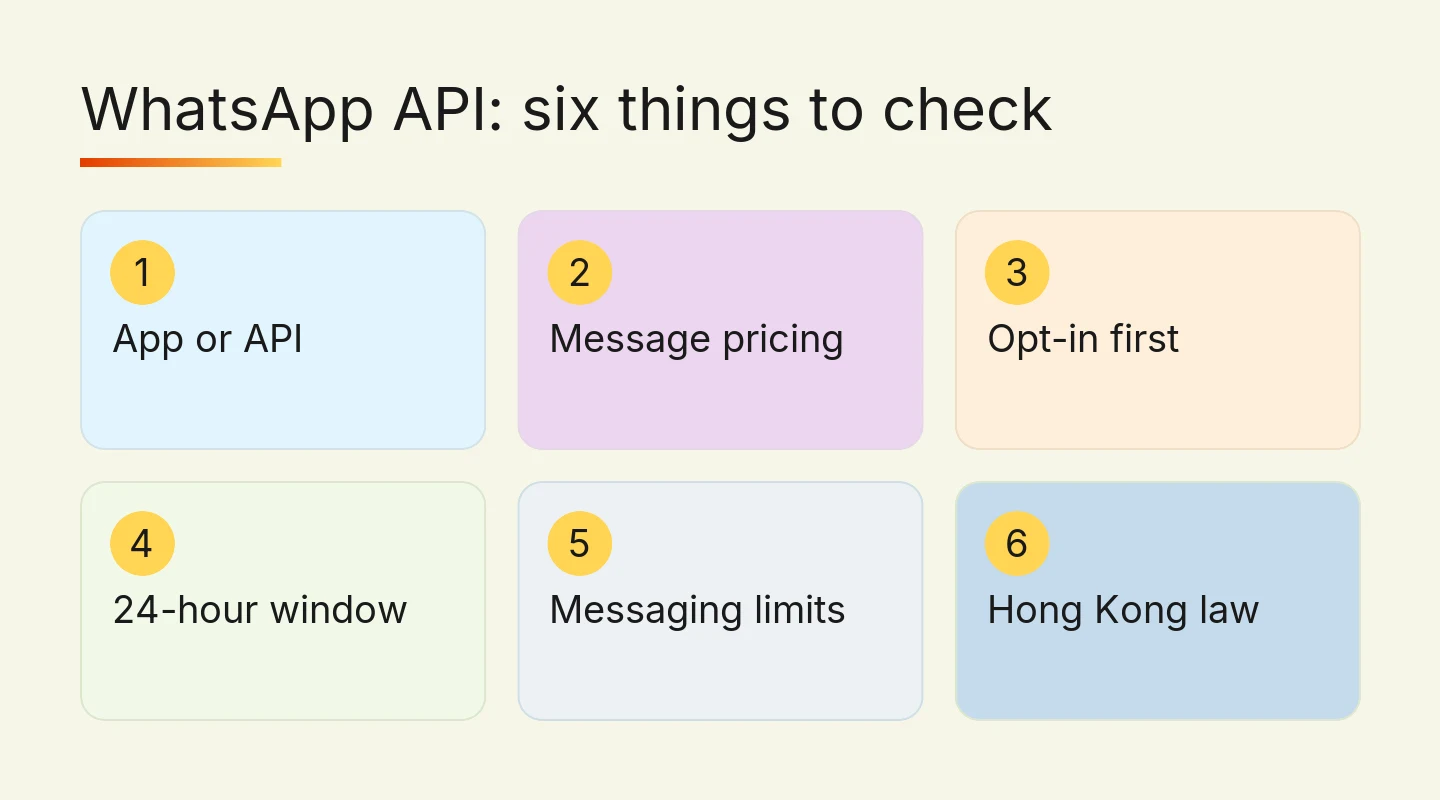
This guide is for owners and marketing leads of small and mid-sized Hong Kong businesses. It explains what the API is, how Meta charges for it as of October 2026, which rules limit what you can automate, and how setup works. It also tells you when the free WhatsApp Business app is still the better choice, because for many businesses it is.
WhatsApp Business app vs the API
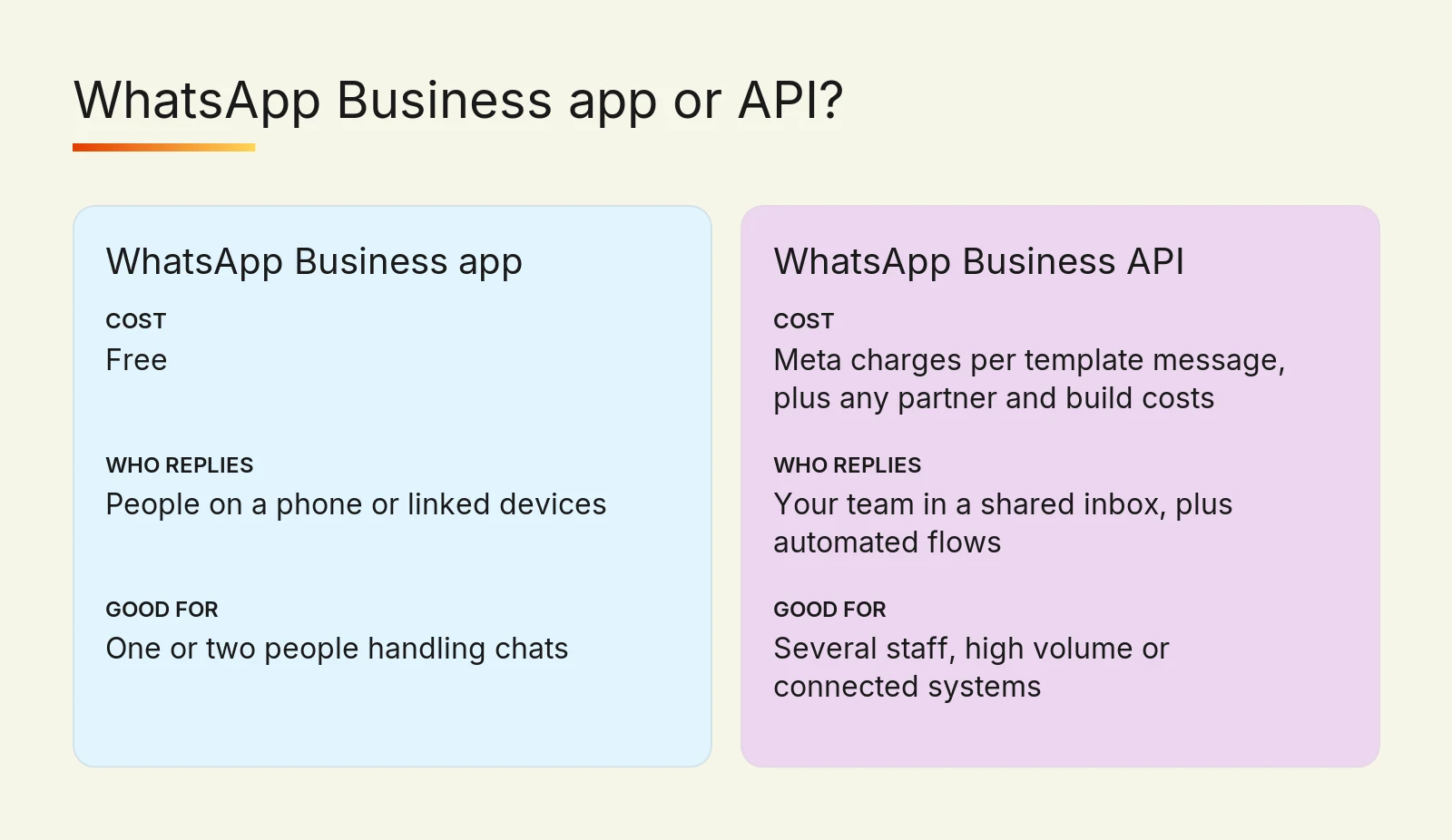
WhatsApp has two business products. The WhatsApp Business app is free and runs on a phone, with greeting and away messages, quick replies, labels and a product catalogue. The WhatsApp Business Platform, usually called the API, has no app of its own. It connects WhatsApp to your own systems, such as your website, CRM, booking calendar or a shared inbox for your team.
Since Meta retired the self-hosted On-Premises API in October 2025, the API means the Cloud API, which Meta hosts. You connect to it directly as a developer, or through a Solution Partner (often called a BSP, for Business Solution Provider) that provides the inbox, chatbot builder and support.
WhatsApp Business app | WhatsApp Business API | |
Cost | Free | Meta charges per template message, plus any partner and build costs |
Who replies | People on a phone or linked devices | Your team in a shared inbox, plus automated flows |
Automation | Greeting, away messages and quick replies | Bookings, order updates, CRM records and chatbots |
Good for | One or two people handling chats | Several staff, high volume or connected systems |
Do you need the API?
The API costs money to set up and to run, so it is worth it only when the app is clearly holding you back. A two-person studio answering 20 enquiries a day usually does better with the free app, quick replies and a clear away message.
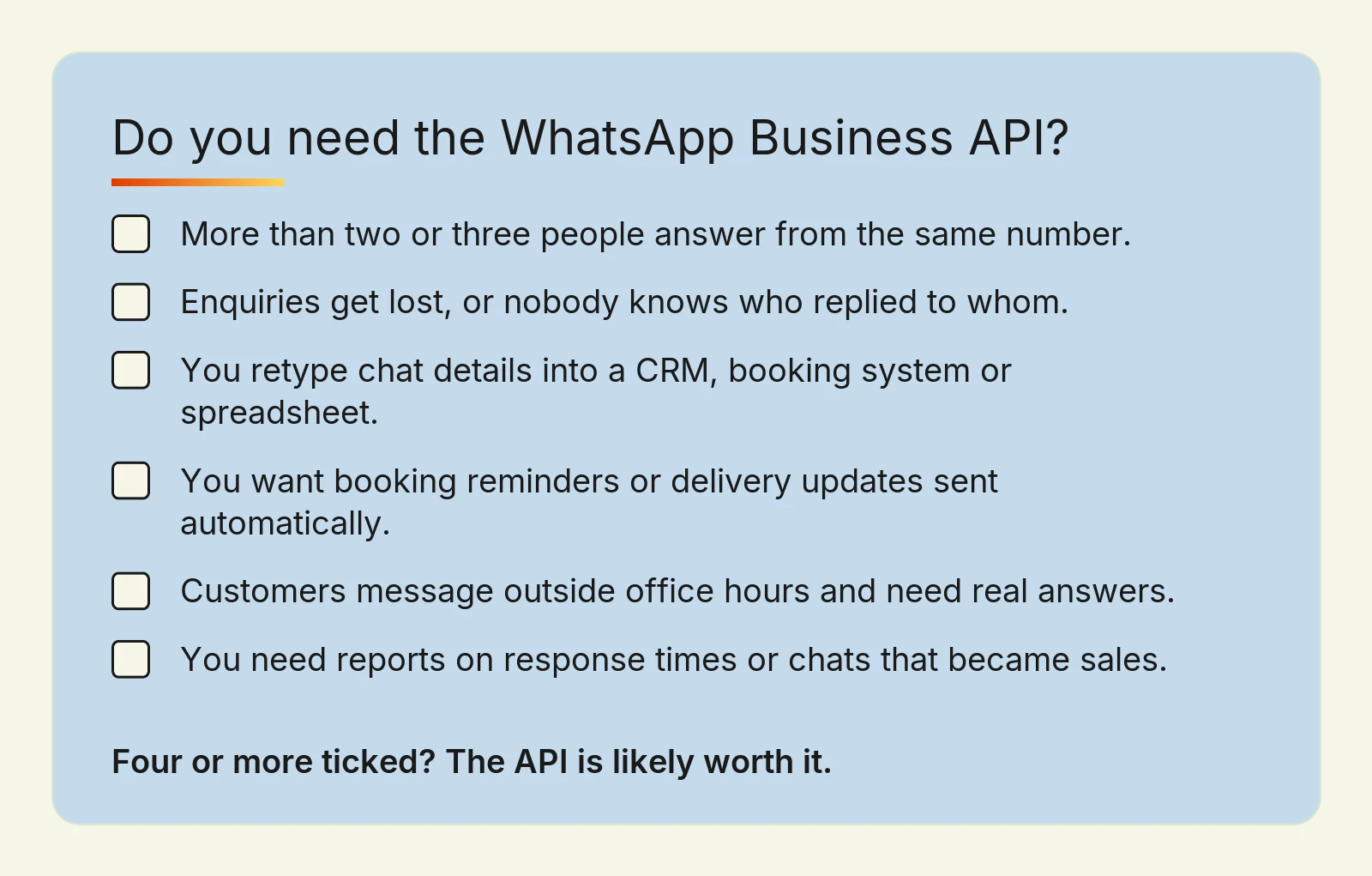
The API starts to pay off when several of these are true:
More than two or three people need to answer from the same number.
Enquiries get lost, or nobody knows who replied to whom.
You retype the same details into a CRM, booking system or spreadsheet after each chat.
You want to send booking reminders, delivery updates or receipts automatically.
Customers message outside office hours and you want them answered with real information.
You need reports on response times or on which chats turned into sales.
If only one or two of these apply, start by tidying up how you use the app. If four or more apply, the API, connected to your website and CRM, is likely to save staff time every week.
How WhatsApp Business API pricing works in Hong Kong
Since 1 July 2025, Meta charges per delivered template message, not per conversation. A template is a pre-approved message format that you use to start a chat or to write to someone after the conversation has gone quiet. Each template falls into one of three categories, and each category has its own rate:
Marketing: promotions, offers and newsletters. This is usually the most expensive category.
Utility: updates about something the customer already asked for, such as a booking confirmation or a delivery notice.
Authentication: one-time passcodes for logging in.
Several messages are free. When a customer messages you, a 24-hour customer service window opens, and your normal replies and utility templates inside it cost nothing. If the customer reached you through a Click to WhatsApp ad or a Facebook Page button and you reply within 24 hours, a 72-hour free entry point window opens, in which all messages are free, including templates.
Hong Kong has been its own market on Meta's rate card since 1 July 2026, with higher utility and authentication rates than before. Meta bills in a set list of currencies, and Hong Kong dollars are not on that list as of October 2026, so you will usually pay in US dollars or another listed currency. Rates change only at the start of a quarter, so check the current rate card for Hong Kong before you budget.
Meta's message charges are only one part of the cost. A Solution Partner usually charges a monthly fee for its inbox and tools, and connecting WhatsApp to your website or CRM is a one-off build. For a small business, the build and the partner fee are often larger than the message charges, especially if most chats start with the customer.
The rules that decide what you can automate
WhatsApp is strict about how businesses use it. These rules shape what is possible, so plan around them before building anything.
Opt-in comes first
Under the WhatsApp Business Messaging Policy, you may message people only if they gave you their number and agreed to receive messages from you. The policy asks for clear opt-out instructions, and for a separate opt-in for each type of message, so agreeing to delivery updates does not mean agreeing to promotions. A tick box on your booking form that says what you will send, and how often, is the simplest way to collect it.
The 24-hour window and templates
Outside the 24-hour customer service window, you can only send approved templates. In practice, you design your reminders, confirmations and follow-ups as templates in advance, in English and in Traditional Chinese if your customers use both.
Automation needs a way to reach a person
The same policy allows automated replies, but you must offer a prompt and clear way to reach a human, such as a transfer to a staff member, a phone number or an email address. A chatbot that answers opening hours and prices, then hands over to your team, fits the rules and usually fits customers better too.
AI chatbots are allowed for your own business
Meta's terms for the WhatsApp Business Platform bar AI providers from offering general-purpose AI assistants on WhatsApp when the AI is the main product. An AI assistant that answers questions about your own services is a different case, and businesses may hire an AI company as their Solution Partner. Keep the bot focused on your business, give it approved information to work from, and let it hand over when it is unsure.
Messaging limits grow with trust
Messaging limits cap how many different people you can message outside the customer service window in a rolling 24 hours. New business portfolios start at 250. Completing Meta's business verification is one way to unlock the next level of 2,000, and higher levels follow automatically if your messages keep good quality ratings. Replies to customers who write to you first are not capped this way.
Hong Kong rules for marketing on WhatsApp
Two Hong Kong laws apply on top of Meta's rules. OFCA confirms that the Unsolicited Electronic Messages Ordinance covers commercial messages sent through apps such as WhatsApp when they have a Hong Kong link. Commercial messages must carry accurate sender details and an unsubscribe option, and you must act on unsubscribe requests within 10 working days.
The Personal Data (Privacy) Ordinance also applies when you use customers' personal data for direct marketing. The PCPD's Guidance on Direct Marketing explains that you need the customer's consent first, that silence does not count as consent, and that marketing consent should be separate from accepting your service. If you plan promotional campaigns on WhatsApp, have your consent wording checked before launch.
How to set up the WhatsApp Business API, step by step
List the jobs you want to automate. Start with two or three, such as answering common questions, confirming bookings and sending reminders. Each job should save time or win sales you can count.
Choose the phone number. You can use a new number, or keep your current WhatsApp Business app number. Meta's coexistence option lets one number work in both the app and the API through a supporting partner, with chat history kept. Some app features, such as broadcast lists and group chats, stop working on that number.
Set up a Meta business portfolio and verify the business. Have your registered company name, address and website ready, because Meta checks them during verification. Verification also lifts your messaging limit.
Pick your route. A Solution Partner suits most small businesses, because it gives your team a ready inbox. Connecting to the Cloud API directly suits businesses with a developer and custom systems.
Write and submit your templates. Meta reviews each template and assigns its category, so keep them clear, useful and free of hard selling.
Connect your systems. Link WhatsApp to your website forms, booking calendar or CRM so details are recorded once, not retyped.
Test, then measure. Check every flow in both languages, confirm the hand-over to a person works, and track response times and enquiries for the first month.
What a WhatsApp automation project costs
There are three parts to the cost. Meta's per-message charges depend on how many templates you send and in which category. A Solution Partner's monthly fee depends on the plan and the number of team seats. The one-off build depends on how many systems WhatsApp has to talk to.
On our website automation service, projects start from HK$10,000 for a single workflow, HK$30,000 for connected systems and HK$60,000 for AI or custom builds, with timelines of 2–8 weeks. A booking reminder connected to one calendar sits at the low end. A bilingual AI assistant that reads your service information and records leads in a CRM sits at the high end.
If you are still deciding what to automate, it helps to look at the data first. Our guide to using analytics to guide design decisions shows how to find where enquiries drop off, and our overview of practical AI in web design explains where AI helps and where it adds risk.
Frequently asked questions
Is the WhatsApp Business API free to use?
The WhatsApp Business API is not free, but many messages on it are. Meta charges for delivered marketing, utility and authentication templates, while replies inside the 24-hour customer service window are free. A Solution Partner fee and the one-off cost of connecting WhatsApp to your systems usually come on top of Meta's charges.
What is a WhatsApp BSP, and do I need one?
A WhatsApp BSP, or Business Solution Provider, is a company that Meta approves to connect businesses to the WhatsApp Business Platform. It usually provides a shared inbox, chatbot tools and support. You do not strictly need one, because Meta's Cloud API is open to developers, but most small businesses without in-house developers find a BSP faster and simpler.
What is the WhatsApp Cloud API?
The WhatsApp Cloud API is the version of the WhatsApp Business Platform that Meta hosts for you. Since Meta retired the self-hosted On-Premises API in October 2025, it is the standard way to connect WhatsApp to a website, CRM or booking system. Businesses use it directly with a developer or through a Solution Partner.
Can I keep my current WhatsApp Business number when moving to the API?
Yes, in most cases you can keep your current WhatsApp Business app number. Meta's coexistence option lets the same number work in the app and the API at once, keeping chat history, if your Solution Partner supports it. Some app features stop working on that number, including broadcast lists, group chats and disappearing messages.
Can I run an AI chatbot on WhatsApp for my business?
Yes, you can run an AI chatbot on WhatsApp if it serves your own customers about your own business. Meta's terms stop AI companies from offering general-purpose assistants on the platform, not businesses using AI for customer service. WhatsApp's policy also requires a clear way for customers to reach a person, so the bot should hand over when it cannot answer.
Plan your WhatsApp automation with Digital Nova
Start by counting how many chats your team handles each day and how much of that work is copying details between systems. If the number is small, set up quick replies and an away message in the free app this week. If it is large, the API is likely worth the cost.
Digital Nova can help you decide which jobs to automate, choose the right route and connect WhatsApp to your website, booking system or CRM, in Cantonese or English. See what our WhatsApp and website automation projects include, or send us your current WhatsApp workflow and we will tell you honestly whether the API is worth it for you.