What Is CMS in Web Design? A Plain Guide for Business Owners
Web Design
6
min read
Published
(Last Edited:
)

If a web designer has asked whether you need a CMS, this guide is for you. It explains what a CMS is, what it lets your team change after launch, and when you can do without one.
By the end, you will know which questions to ask in a quote and how the four platforms most small businesses consider compare. No technical background is needed.
What does CMS stand for in web design?
CMS stands for content management system. It is the part of a website that stores your content (text, images, blog posts, products) and lets you edit it through a dashboard instead of in code.
In web design, the CMS separates content from layout. A designer builds the templates once: how a blog post, a project page or a team profile should look. Your team then fills those templates through simple forms, and the site places each entry in the right design.
For example, Wix describes its CMS collections as ‘databases where you store content that can connect to your page elements’ (Wix help pages). Add a new case study to the collection, and a new, fully designed page appears on the site.
What a CMS lets your team do, and what it does not
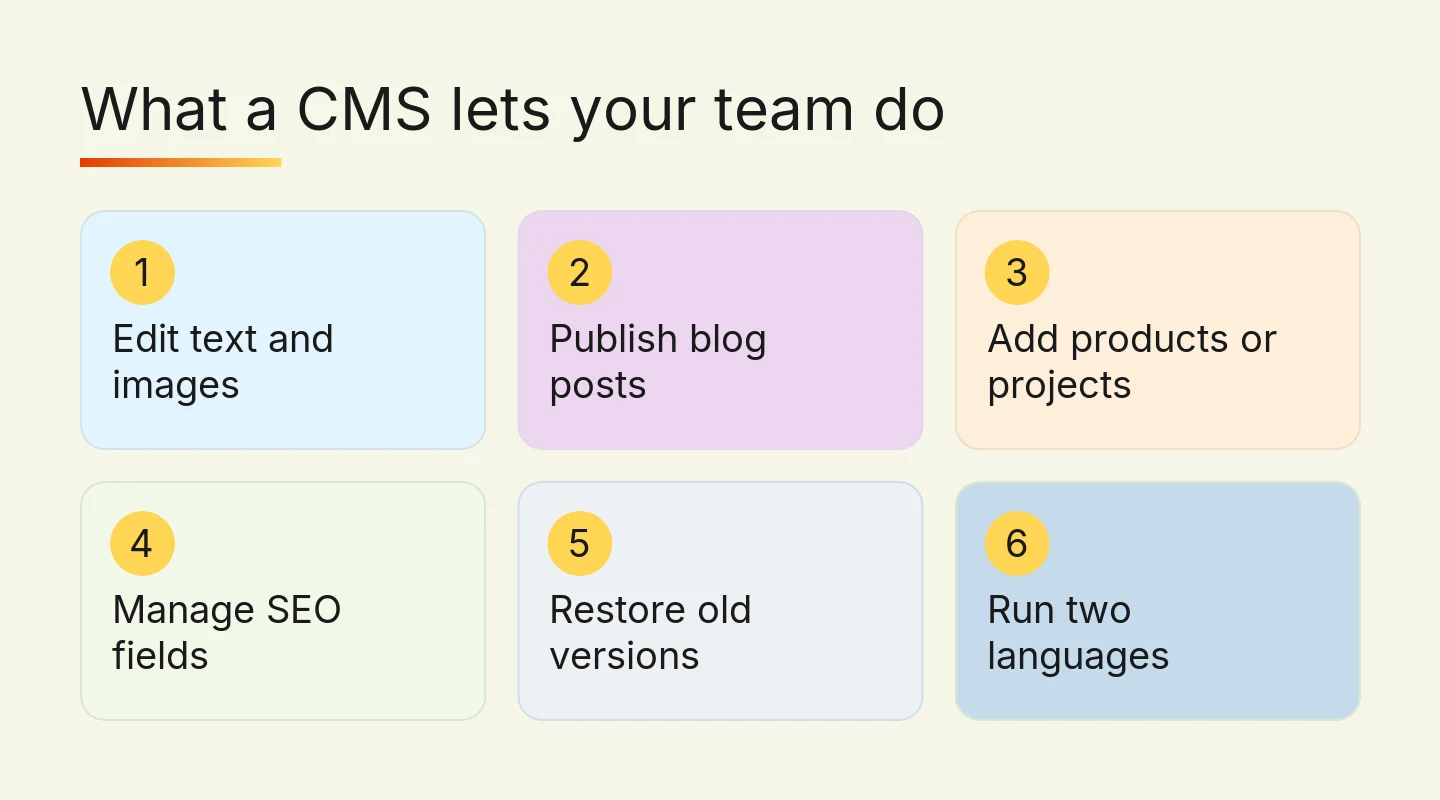
A well-set-up CMS gives non-technical staff control over day-to-day changes. In practice, that means you can:
Edit text, prices, opening hours and photos on existing pages.
Publish blog posts, news and case studies without contacting a developer.
Add repeating items such as products, projects, team members or event dates.
Fill in the page title, meta description and image alt text that search engines read.
Go back to an earlier version of a page. WordPress, for example, stores a record of each saved draft or published update and lets you restore any of them (WordPress.org).
Run English and Traditional Chinese versions of the same page, if the platform and plan support it.
A CMS does not write your content, and it does not redesign your site. Changing a page layout, adding a new type of page or connecting a booking system still needs a designer or developer. It is worth asking in your quote which parts of the site your team will be able to edit, and which parts will be locked.
Does every website need a CMS?
Not always. Most website builders let you edit page text, so a five-page brochure site that changes twice a year can work well without a full CMS set-up.
A CMS earns its cost when content repeats or changes often. Use this quick check before you brief a designer.
You plan to publish news, blog posts or case studies at least once a month.
You have repeating content: team members, projects, products, events or locations.
More than one person needs to update the site.
You want English and Traditional Chinese versions of the same pages.
You do not want to pay a developer for every text or photo change.

If you ticked two or more, ask for CMS collections to be set up as part of the build. Adding them later usually means reworking templates that are already finished.
WordPress, Wix, Framer and Shopify compared
Most CMS platforms fall into two groups. Self-hosted systems such as WordPress give you full control but need ongoing updates. Hosted builders such as Wix, Framer and Shopify handle hosting and security for you, in exchange for less control over the code.
WordPress is by far the most widely used. As of October 2026, it runs 39.6% of all websites, while Shopify runs 5.3% and Wix 4.2%. Around 32.1% of websites use no CMS that W3Techs tracks (W3Techs).
Platform | Good for | Trade-off |
WordPress | Content-heavy sites, custom features, large blogs | Plugins and core updates need regular maintenance |
Wix | Small teams who want an easy visual editor | Less control over code and hosting |
Framer | Design-led sites with blogs or project pages | CMS limits and extra languages depend on your plan |
Shopify | Online stores that also want a blog | Built around selling, so less suited to non-store sites |

A few details matter when you compare them:
Framer includes a CMS on its paid site plans. As of October 2026, the Basic plan allows 2 CMS collections and 1,000 items, Pro allows 10 collections and 2,500 items, and each extra language is an add-on at US$20 per locale (Framer pricing).
Shopify comes with a built-in blogging engine (Shopify help pages), so a store does not need a separate CMS for articles.
WordPress relies on plugins for many features, which is where its flexibility and its maintenance work both come from. Our WordPress versus Craft CMS comparison goes deeper on this trade-off.
On cost, Digital Nova's Wix and Framer sites start from HK$15,000, HK$25,000 and HK$40,000, depending on scope. WordPress sites also need ongoing care, and our WordPress maintenance is typically HK$800 per month, depending on the site. For a wider view of budgets, see our guide to Hong Kong web design costs.
If you are replacing a site and do not know which CMS it runs on, look at its page source in your browser. WordPress sites usually load their theme, plugin and upload files from a folder called wp-content, although owners can rename it (WordPress Developer Resources). Your current designer or hosting account will also show it.
CMS features that matter for a Hong Kong business
Generic feature lists say every CMS is ‘easy’ and ‘SEO-friendly’. These are the points that make a real difference to a Hong Kong SME.
Bilingual content
If you serve customers in English and Traditional Chinese, check how the CMS stores each language. The best set-up keeps both versions of a page linked, so the site can tell Google they are translations of each other with hreflang tags (Google Search Central). Ask whether the second language is included in the plan or charged as an add-on.
We have built multilingual sites on WordPress before, for example an English and French site for Athenasia that kept its existing search rankings.
Editing roles
If several staff will update the site, check whether you can give each person only the access they need. A junior staff member who posts news should not be able to delete the home page.
Version history
Mistakes happen, especially when several people edit. A CMS that keeps earlier versions of each page lets you undo a bad change in minutes instead of asking your developer to restore a backup.
SEO fields on every page and item
Your team should be able to edit the page title, meta description, URL and image alt text for every page and every CMS item. If these fields are missing from the templates, each new blog post or product starts at a disadvantage in search results.
How to choose the right CMS in five steps
List what you will update. Write down every type of content that will change after launch: blog posts, products, team, prices, events.
Name who will update it. One owner editing monthly needs a simpler tool than three staff publishing every week.
Decide on languages. If you need Traditional Chinese, confirm how the platform handles it and what it costs before you commit.
Count the running costs. Add plan fees, add-ons and maintenance over three years, not just the build price.
Ask for a demo of the editor. Before you sign, ask the designer to show you how you will add a blog post or change a photo.
If you are still deciding between builders, our guide to web design software for beginners compares the main tools in more detail.
Frequently asked questions
Which web design software includes CMS functionality?
WordPress, Wix, Framer and Shopify all include CMS functionality. WordPress is a full CMS, Wix and Framer add CMS collections to their visual editors, and Shopify includes a built-in blog alongside its product catalogue. The right choice depends on how much content you publish, how many people edit the site and whether you need more than one language.
How can I tell which CMS a website is using?
The simplest check is to open the page source in your browser and look for clues. A WordPress site usually loads files from a folder called wp-content, although owners can rename it. If you own the site, your current designer, developer or hosting account can also tell you which platform it runs on.
Is a CMS website the same as a website built with a builder?
Not exactly, although the two often overlap. A CMS website is any site where content is stored and edited through a dashboard, while a website builder is a hosted tool for designing pages visually. Wix and Framer are builders with CMS features, and WordPress is a CMS that can be paired with visual page builders.
Do I need coding skills to use CMS software?
No, day-to-day CMS editing does not need coding skills. Adding a blog post, changing a photo or updating a price is done through forms and a visual editor. Coding is only needed for structural changes, such as new page types, custom features or integrations, which are usually handled by a designer or developer.
How much does a CMS website cost in Hong Kong?
The cost depends on the platform, the number of page templates and CMS collections, and whether you need two languages. At Digital Nova, Wix and Framer sites start from HK$15,000, HK$25,000 and HK$40,000. WordPress sites also carry ongoing maintenance, which is typically HK$800 per month, depending on the site.
Next step: plan your CMS before the design starts
Before you request quotes, list the content your team will update and who will update it. That short list tells a designer whether you need CMS collections, which platform fits, and which pages should stay locked.
Digital Nova designs websites on WordPress, Wix, Framer and Shopify, and we can run the project in Cantonese or English. See how our web design service works, read about our custom web development if you need features beyond a standard CMS, or talk to our team about which set-up suits your business.